
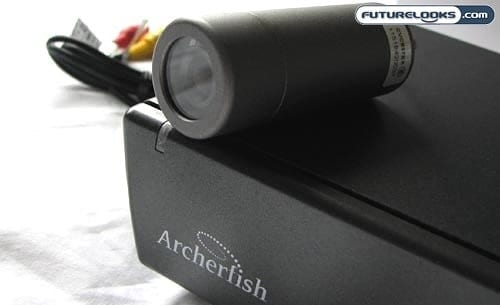
It used to be that having a sophisticated video surveillance system would cost an arm and a leg. As such, everyone assumed that only big companies would invest in such a security system. Thankfully, this is no longer the case, so it is much more affordable for you to protect your small business, home office, or just your home in general.
One of the more versatile solutions that you may consider is the Archerfish system. Said to be the “smartest approach to video monitoring,” Archerfish allows for up to four discreet cameras and full web-based access.
Security Cameras for the Home and Office
Looking at some other video monitoring systems, you may encounter a couple of different issues. First, the monitoring may only provide a live feed and it may not be able to record clips based on motion. Second, you may only be able to review the video feed locally. Archerfish has neither of these issues.
First off, you can access and customize your Archerfish system anywhere you have Internet access. Hopping into the Archerfish SmartPortal, you can check the live feed, review recorded clips, and set up new detection rules. You can also receive automated notifications by email or to a mobile device.
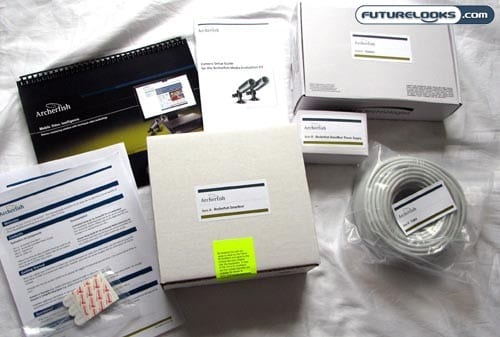
Inside the box, you get just about everything you need to get started. This is comprised of a SmartBox that must be connected to your router, (at least) one camera that you can mount wherever you’d like, and all the cabling that you’d need for the setup. A bevy of documentation is included too.
Hardware Setup
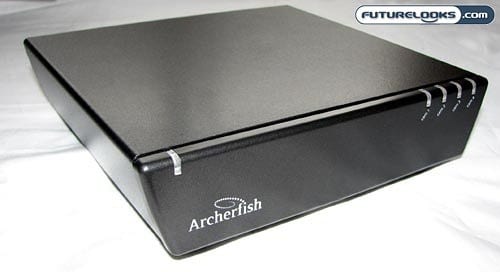
The Archerfish SmartBox looks like it could just as easily be a DVR or a media player, but it is neither of these. Instead, it acts as the “brain” for your Archerfish video monitoring system.
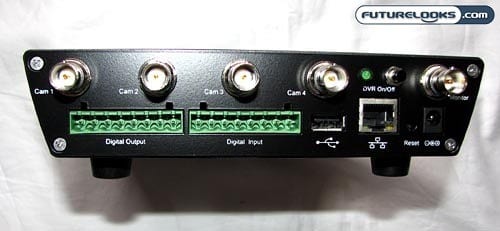
Swinging around to the back, you’ll find the LAN port for the required Internet connectivity, jacks for up to four cameras, a jack for an external monitor, USB port, and ports for digital input and output. For basic functionality, all you need are the ones for a single camera, power, and LAN. Bear in mind that each camera will need its own power source as well.
This part of the setup process is reasonably straightforward, except for the time that you’ll need to mount your camera in an appropriate location and running the cable back to the SmartBox. This will take some planning on your part, of course.
Online Registration Required

After getting the hardware side of things set up, you’ll need to point a web browser to the Archerfish SmartPortal to go through the configuration settings. This includes registering your SmartBox, entering your user information, defining your notification preferences, and entering your billing information.
You will need a credit card at this point. This is because there is a monthly subscription fee in order to use an Archerfish. The basic plan for one SmartBox (with up to four cameras) and 50MB of online storage is $7.99 a month. For plans with two, three, or four SmartBox units, you’ll be paying $11.98, $15.97, and $19.96 a month, respectively. Each SmartBox is given 50MB of of online storage for video.