
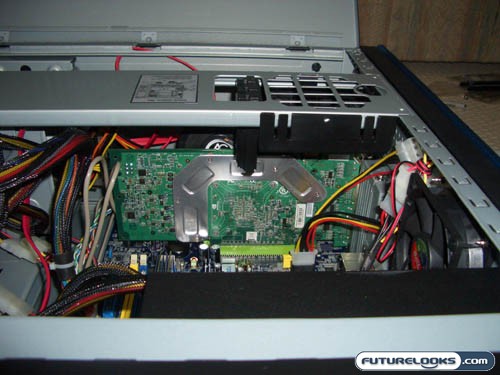
We then began the close up the other side by reinstalling the “Enforce bar”. We ran into a little issue with the spacing between the fan bracket and the aftermarket GPU cooler. We had to ever so lightly, massage the Enforce bar back into place and closed up the side panel. With a stock cooler, we would not have this issue.
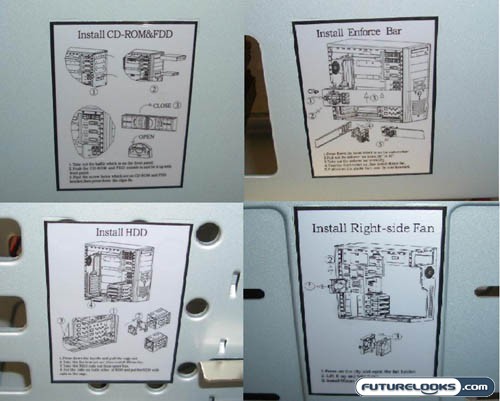
One thing to note was how easy it was to work on this case. Part of this was contributed to the instruction stickers located throughout the case detailing instructions for different tasks. No need to thumb through the manual when the instructions are right in front of you.
The Finished Product
With everything in place, we have a nice tidy system. There was plenty of room to route the cables so that we have a clean setup.
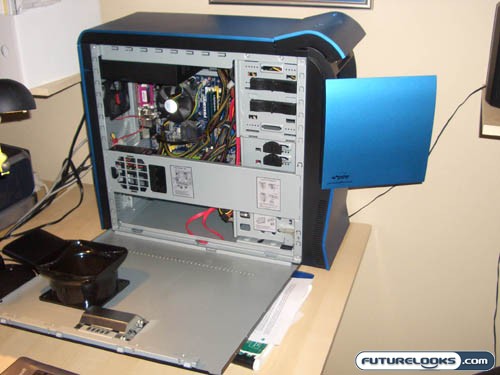
The last thing to do is close up the sidepanels of the case, attach power to the other peripherals and fire it up for some performance tests.
Test Setup
Idle conditions were set with Windows XP SP2. I booted the system and let it idle for 30 minutes before taking noise and temperature readings. The loaded conditions were established using a looping of 3Dmark2006 demo. Let’s see what we get.
Noise Levels
Being the gorgeous case that this is, many of us will be placing this on top of our desk so that jealous on-lookers can ooh and ahh at our beautiful case. And if you’re like me, I can’t stand a noisy case especially if it’s at ear level. With 3 case fans, 1 power supply fan, 1 OEM CPU fan and 1 videocard fan, I was expecting a fair bit of noise. I would have to say that this is not the quietest case I’ve heard as it sounds like it is moving quite a bit of air through the case. With our setup, noise levels averaged around 52 dbA.
Temperature Levels
Since we have cooling in the proper places, I’d expect superb cooling from this case. The front 120mm fan drew air in from the sides and bottom of the case to provide cooling to our hard drive. The side 80mm fan help to exhaust hot air that could be trapped underneath the optical drives, and by the other HDD rails. The rear 80mm fan kept the hot air from staying stagnant around the CPU / memory modules and exhausted the air out the back.
Under idle conditions, our Intel QuadCore Q6600 CPU maintained a 32C temperature while system temperature was at 36 C. Under load conditions, the CPU temperature only went up to 36 C while system temperature crept up to 38 C. If we had the fourth 80mm fan drawing air from the videocard, I would predict seeing even lower system temperatures. However, with the current setup, it is more than enough to keep our components and optimal operating temperatures. Depending on the type and number of components you may have in your system, temperatures may vary. Not to mention, the addition of extra fans will just make the system noisier.
Real-Time Price and Stock check – Shop Like a PRO!