
On-Screen Menu Interface
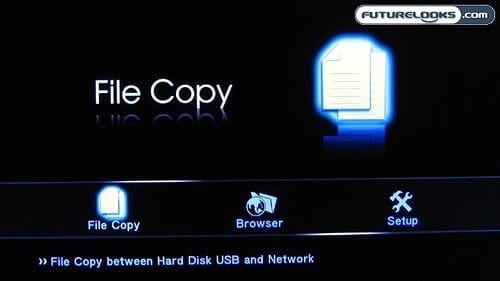
The main menu, shown above, is reasonably straightforward and easy to understand. There are just three available options for you at this point and it’s quite clear what each of them is supposed to do. No confusion here.
Diving into the file browser, however, you’ll soon see a user interface that is nearly identical to the one on the Asus O! Play. Did Asus and Patriot commission the same team to make its Linux-based operating system? Or is it just serendipity that they look so similar?
It is nice that you don’t have to be in “movie” mode in order to play your video files and in “music” mode to play your tunes. While in the “All” column, you can access all of these files and they’ll play just fine. The Music, Photo, and Movies columns are still there for improved filtering too, in case you want to only see one type of file.
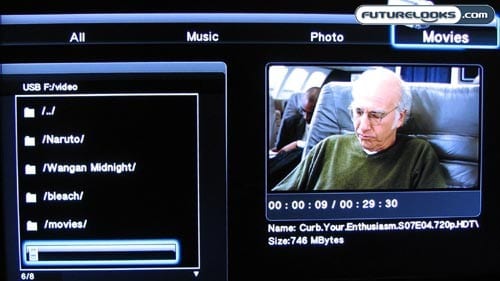
When you have your selection cursor over a video file, a movie preview will automatically start playing on the right side of the screen. This can be handy for when you can’t see the entire file name or you are unfamiliar with which video is which. This can be annoying at times, but it’s largely useful.
It is a little unfortunate that the Patriot Box Office doesn’t really do music with ID3 tags, so you are left navigating through the folders. It wouldn’t take much to code up a better media player for music management.
For Your Viewing Pleasure
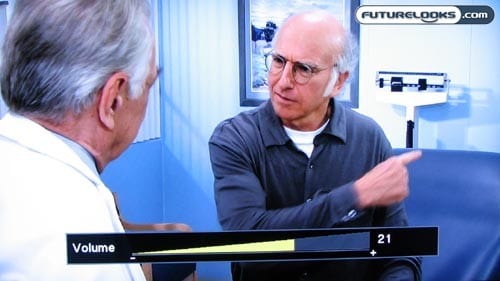
Naturally, your mileage will vary based on the native quality of your video files, the speed of your chosen drives, the power of your HDTV set, and number of other factors. Speaking for myself, I was pleased with the video quality that the Box Office was able to provide.
Most videos were clean, crisp, and clear. I had occasional choppiness on a couple of sample videos, but those may have been the result of the video files themselves rather than something to do with the Patriot machine. Having the volume control in the media player is quite nice too.
Closing Thoughts
To some extent, you can tell that Patriot Memory is still a company that is focused on components and internals rather than consumer electronics. The user manual was riddled with typos and grammatical errors, and the on-screen instructions for file copy weren’t exactly clear. Some work is definitely warranted in the user-friendliness department. The PC software is cumbersome at best and the remote control could use some redesigning as well.
All this said, the Patriot Box Office is a terrific freshman outing for the company. It takes everything that we like about other media players, like HDMI-out and extensive format support, and it adds features that make it so much more powerful. The BitTorrent function is so convenient, as is the ability to stream content over the network from your computer or NAS. Having the ability to install a 2.5-inch internal drive is pretty handy. Many users would have greatly appreciated integrated Wi-Fi, but at least you can use a USB adapter if you need some wireless access.
With a retail price of about $130, the Box Office from Patriot is a little more expensive than some of its counterparts, but it makes up for this with the added value of more features and functions. This sure beats watching videos on a small laptop for sure.
Pros
- Impressive file format support
- Built-in BitTorrent client
- Takes an internal 2.5″ HDD
- Support for USB Wi-Fi adapter
Cons
- Cumbersome PC software for BitTorrent management
- Laggy user interface can be slow
- File copy utility could be more intuitive
- Needs more venting, runs quite warm
Overall Rating: 9.0/10.0

Love This Review? Hate This Review? Tell Us In The Forums!