
What If My Device Isn’t Listed?
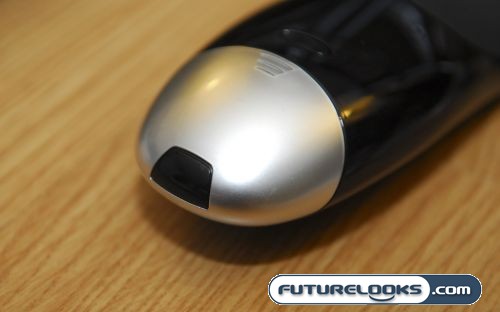
If your device isn’t listed, the world does not end. The Logitech software is setup to allow you to enter in the codes from that devices’ remote control through a series of prompts. You’ll be asked to point the sensor of your device remote to the butt end of the Harmony ONE where it will read the button presses and learn the codes. By doing this, you have also added a new device to the device database, making it easier for someone else next time. This community interactivity is what keeps the device database growing.
Customizing your Harmony ONE
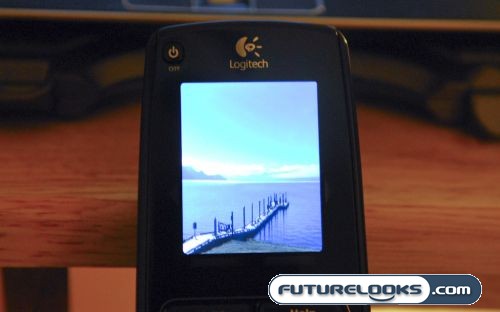
The Harmony ONE does have a couple of customization options. For starters, you can upload pictures to it, allowing the Harmony to jump into a sort of screensaver slideshow mode when it is charging. The other customization options include the ability to choose different themes for the touchscreen. I personally found them fluffy features that really served no real purpose, but I’m sure you customization freaks will like them.
Harmony ONE in the Living Room
To be honest, there really isn’t much brand new compared to previous Harmony Remotes. The software just plain works, and programming and setup is just as easy as it was before. However, with a much larger database of devices, most users will find the setup even easier than before.
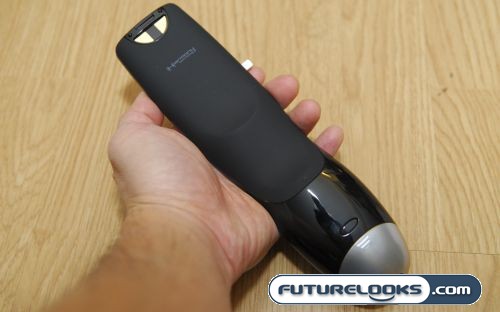
I found the Harmony ONE quite a bit quicker than my old Logitech Harmony 676 as I would find that there was a noticeable delay between when a button was pushed and when something happened. I also found the build quality and construction of the Harmony ONE was definitely much higher quality than previous remotes. The shiny new paint job also adds a feeling of sophistication to this product and they even give you a cloth to wipe it with.
Battery life is saved by a motion sensitive sensor that turns the screen off when not in use, but pops to life when picked up. You can hear the sensor when you shake the remote as it rattles inside the remote. The battery does seem to last for a few days before requiring a charge, but getting in the habit of charging it when not in use would be a better choice as you can’t simply replace the battery with an off the shelf solution in a pinch.
Speaking of buttons, one thing that I really love about the Harmony ONE is the improved layout of the buttons and the ergonomics. Since changing over from my original Harmony 676, I’ve found that I barely ever need to look at my Harmony ONE remote to control stuff. The texture of the buttons along with certain key buttons allow my hand to figure out where it is at all times. Where I used to need to use two hands to operate my original Harmony 676, I only need one hand with the Harmony ONE.
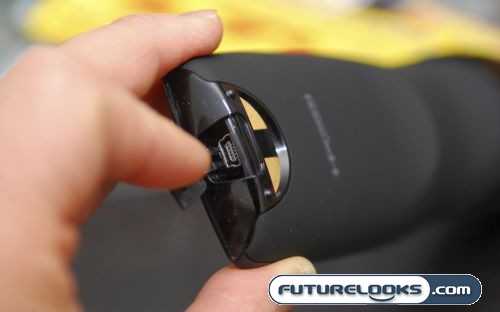
One thing that was a nice feature was the inclusion of a USB port cover. I know that this is a small thing, but when you haven’t used your USB port for sometime, it seems to get crammed with gunk. I remember having to often blow out the USB port on my Harmony 676 as it had no cover. Remember, there is no other way to program your remote, so if your USB port dies, there is no way to program it again, so the protection is definitely welcome.
Real-Time Price and Stock Check – Shop Like a PRO!