
There are a number of reasons why you may choose to keep or to abandon your home telephone line. Having a landline telephone, for example, means that you don’t have to worry about signal strength in the same way that you would on a cellular phone. What if you could marry these two ideas and save yourself about thirty bucks a month?
That’s the idea behind the XLink BT Bluetooth Cellular Gateway. Rather than wandering around your home (or office) with a Bluetooth headset attached to the side of your head, you can pick up that cell phone-sourced call on a regular telephone. Let’s see how it works.
What is the XLink Bluetooth Gateway?
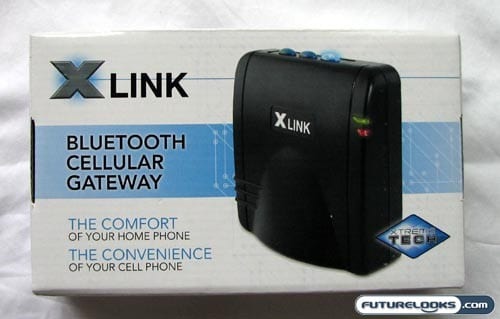
The product that we are reviewing today is the XLink BT Bluetooth Gateway and this is designed to pair your cellular phone with a regular landline telephone, thus bypassing the phone company and using your cell service instead. Alternatively, you can opt for the XLink BTTN which allows you to connect to a regular landline and your cell phones. This is helpful for people with a VOIP line in the home.
You can think of the XLink BT as a Bluetooth sender-receiver, pairing with your cellular phone in much the same way as a Bluetooth speaker. The kicker is that you can connect any regular phone to it that you want, answering your cell phone calls just as you would a regular call when the home phone rings. It’s even handier when you have a set of wireless phones attached to it like a set of four DECT 6.0 wireless phones. Leave your phones on the charger and have access to that line in any room.
In addition to the money that you can save by cutting out the landline, you can improve the cell phone performance in your home. Place your iPhone, BlackBerry, RAZR, or whatever next to the window where you get maximum coverage, but have the XLink anywhere else in the home within the Bluetooth range (up to about 30 feet). This is great for people who live or work in concrete jungles.
The XLink BT will work with just about any Bluetooth-enabled cell phone. If you have VOIP service in your home, you’ll find that it is no bigger than one of those Linksys Phone Adapters that VOIP companies send out.
Looking in the Box
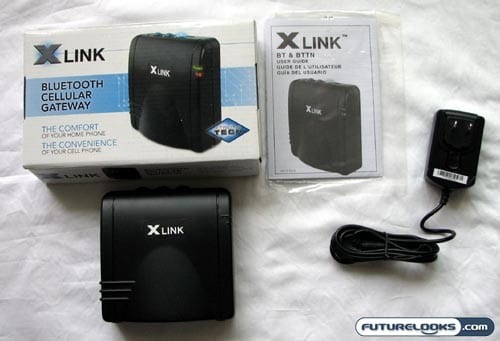
One of the biggest selling points for the XLink Bluetooth Cellular Gateway is that it is supposed to be very easy to use. As such, you won’t find very much when you open up the box. Accessories? What accessories?
Inside, you’ll find the XLink Gateway itself, a wall adapter for providing power, and a single sheet that provides the instructions. Realistically, this is all you really need from the team at XLink, because it is still up to you to provide the cellular phone and the landline phone to bridge to it through the gateway.
In terms of first impressions, the XLink feels like it is made from rather thin and cheap plastic and the device itself is remarkably lightweight. XLink could easily improve this by simply dropping a few weights in the base.