
When the subject of Solid State Drives or “SSD”comes up, price and storage capacity are still the two main obstacles facing the product category. Although issues with early controllers dampened their start, things have improved. Reliability has increased and so has performance. They’re also a performance upgrade that benefits both notebook and desktop users alike. With more and more SSDs hitting the market, we’re also starting to see huge reductions in once astronomical prices, particularly in the more usable 64GB – 128GB range.
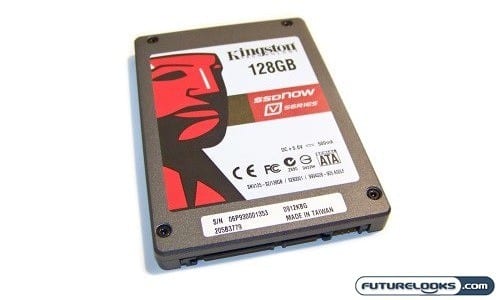
One good example of the benefits of economies of scale, increased reliability and performance is Kingston Technology’s new SSDnow V-Series drives. This 128GB drive that we have on the bench retails for right about $229. If you remember same time last year, a similar sized drive was easily double that price. Clearly the V in V-Series also stands for value, but how much of that is taken away in performance? Kingston says they worked hard with controller manufacturers to get the price point and performance just right. We’re definitely anxious to see if it’s ready for the mainstream user. On with the review!
Features and Specifications
An important thing to point out here is that this is basically a first generation SSD with some of Kingston’s behind the scenes tweaking. As a complement to their other offersings such as the the E Series and M Series SSDs, the goal of the V-Series SSDNow is to offer a complete retail boxed solution at an affordable price. The performance goal was set to better than a standard desktop or laptop SATA II hard drive. This is reflected in its 100 MB/s read and 80 MB/s write speeds. It’s also completely silent, shock resistant, still supports S.M.A.R.T. and is backed up by a Kingston 3 year warranty and 24/7 tech support, which is competitive with most mechanical drives.
Speaking of competitive, the SSDnow V-Series 128GB unit that we have here today also boasts a super low 2.5 Watt (active) and 0.45 Watt (sleep) power consumption numbers which will give notebook users a boost to their battery life and desktop users a few more cents off the power bill. Also impressive is the 1 Million hour MTBF (Mean Time Before Failure).
This drive comes in a 128GB and 64GB size and is sold in either a desktop specific or a notebook specific bundle that comes with everything you need to get it installed.
What’s in the Box?
The packaging is pretty simple and says Kingston all over it. After removing the plastic lid which has the Kingston logo on it, you’ll find an included Utility Disc with a useful mass clone drive program from Acronis, power adapter cable, SATA cable, 3.5″ brackets, and screws. As noted, Kinston makes two kits, one for desktop and one for notebook and this one reflects the desktop kit (SNV125-S2BD/128GB). The notebook kit is known as the SNV125-S2BN/128GB and basically excludes the drive rails, power and SATA cables for a USB enclosure.
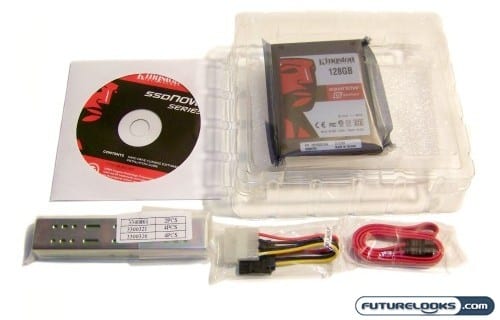
The important thing to note here is that this is the complete 128GB SSD bundle. You don’t have to run out or hunt down adapter brackets when you want to install the drive in your particular desktop system which is somewhat different than what other manufacturers are doing by simply supplying the drive. The mounting brackets adapt the 2.5 inch drive to a 3.5 inch bay and aren’t anything fancy, but more than functional. It would have been unique to dress the kit up with some nifty anodized or painted brackets, but the drive is V for value and that would inevitably drive up the price.
A Quick SSD Anatomy Lesson
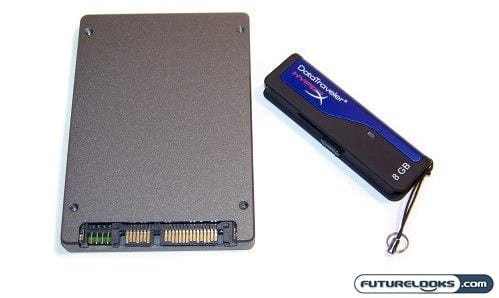
People often ask what the differences are between the memory ICs inside the SSD and RAM modules. It’s a logical question since both are built with memory chips of some sorts. RAM modules use volatile memory ICs which mean they require power at all times in order to hold data that your system needs to function. If you cut power to the RAM, your system simply stops functioning.
SSD modules (and USB drives) use non-volatile ICs called Flash NAND which doesn’t require power to hold data. When your system is powered off, it will reliably store and retain any data you’ve added to it. NAND producers are few which accounts for the premium to produce the parts and is the main reason why SSDs cost what they cost. And now back to the review!