
Security is a very big deal. If you’re just transferring some music files and family pictures, it might not be all that important, but if you’re transporting financial documents and other personal information, it’s important to protect that data however you can. Manufacturers of USB Flash drives have come up with many different ways to encrypt and otherwise lock your data in such a way that random passers by won’t be able to access those all important 1s and 0s.
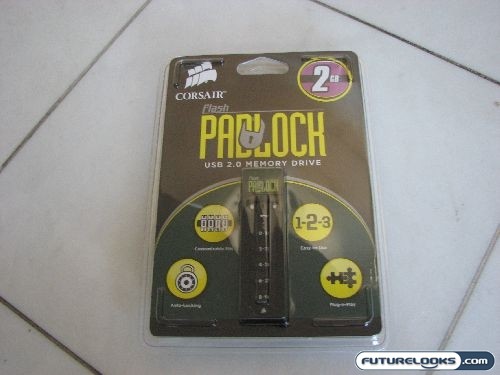
The Corsair Padlock USB 2.0 memory drive is one such device. While other products may boast some sort of software protection, the Corsair Padlock comes equipped with a simple numerical keypad right on the flash drive itself. Working much your PIN at an ATM, a certain number must be entered before the drive is unlocked and ready to use. In fact, if you plug a locked Corsair Padlock into an available USB port on your computer, it won’t even recognize it. It won’t think that there’s anything there until you unlock the device by entering a code. Extra secure, right?
From One to Ten Digits
The unlocking code on the Corsair Padlock USB Flash drive can be customized, ensuring that you have a truly personal identification number. In addition to the “key” button, there are five other buttons corresponding to the numbers 0 through 9.
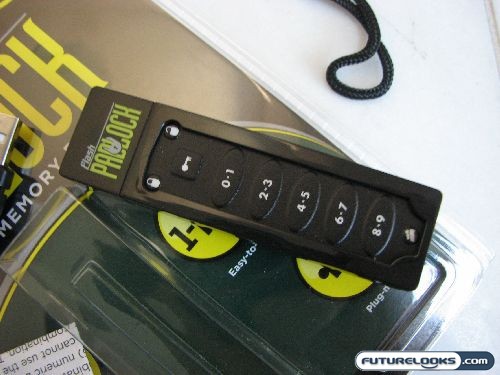
“What? Five buttons? I thought you said it had 10 digits?”
I did. Much like some the keyless entry systems on cars, there are two numbers mapped to each button. In this way, you don’t really have all ten digits available to you; they’re just there as memory aids, because there are only five different possibilities. Thankfully, the length of your PIN is also customizable.
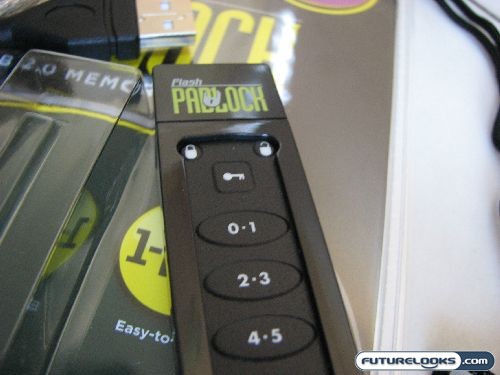
According to the provided documentation, the unlocking code can be anywhere from one to ten digits in length. For example, your PIN can be 2 or it can be 1234567890… or anything in between. Most people will probably select codes that are four or five numbers long, but you can really throw off would-be data thieves by picking an obscure 7-digit code, for example. At its maximum length (ten digits), you essentially have 9,765,625 unique codes (5^10).
If you look at all the possibilities with all the possible lengths, you end up with 12,207,030 unique unlocking codes: this is calculated by 5^1 + 5^2 + 5^3 + 5^4 + 5^5 + 5^6 + 5^7 + 5^8 + 5^9 + 5^10. Yeah, go ahead and try to guess using brute force.
Real-Time Price and Stock Check – Shop Like a Pro!