
System Setup
Being that this is a fairly high-end case, we need to fill it with fairly high-end components:
- Intel Quad Core Q6600
- Foxconn P9657AA motherboard
- Patriot 2 x 1GB PC-6400 DDR Ram
- Seagate Barracuda 7200.10 250GB SATA300 hard drive
- Leadtek WinFast PX7800 GTX TDH 256MB Videocard with Arctic Cooling Accelero X1 cooler
- PC Power and Cooling Silencer 610 Power Supply
- LiteOn 20X DVD+/-RW SATA Drive
Our operating system of choice was Windows XP. Our Quad Core Q6600 Intel CPU will utilize the stock cooler while roasting away in the PCI-Express slot will be our Leadtek 7800GTX. Hopefully this will give the case the workout it deserves.
Onto The Installation
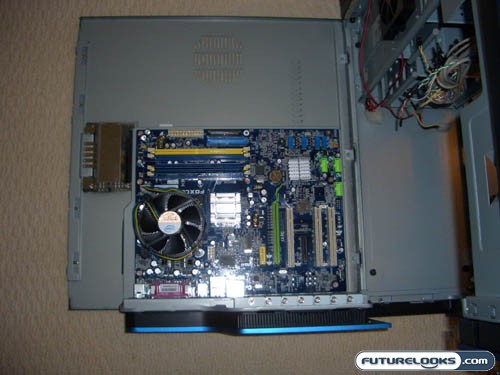
As this case has the ability to flip down the side panels, installing the motherboard was a breeze. Snapping in a few more motherboard risers, we lined up the motherboard, and secured it to the panel.
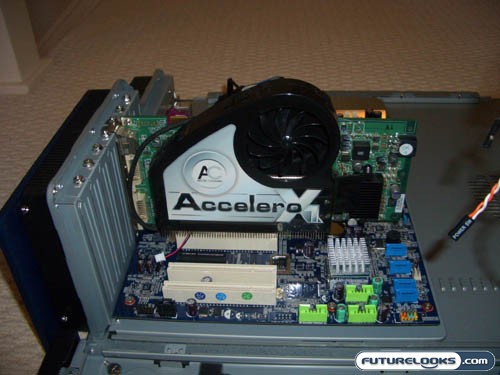
Next, we unscrewed a rear slot where we installed our videocard. Spire decided to use replaceable slots in case you screw up.
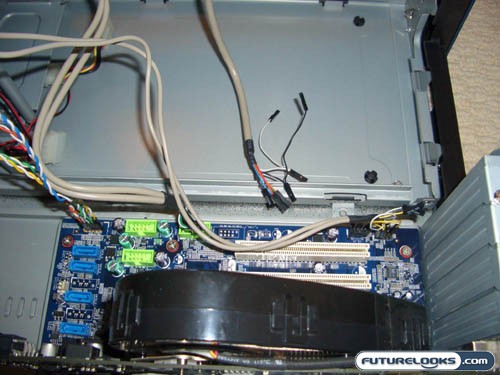
With plenty of length, and decent labeling, installing the two front USB, mic, headphone, power and reset button, and power and HDD status lights was very easy.
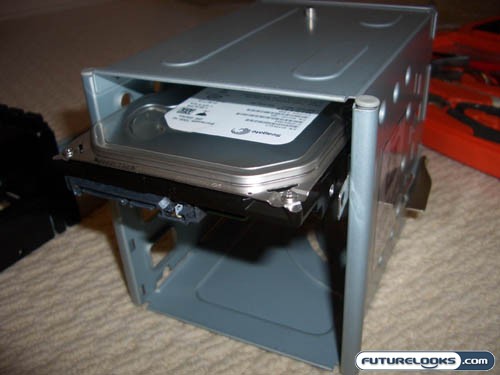
Since we had the HDD cage out, we installed the “tool free” drive rails to our hard drive. We then slid the HDD into the second slot and clicked it into place. Piece of cake!
Real-Time Price and Stock check – Shop Like a PRO!