
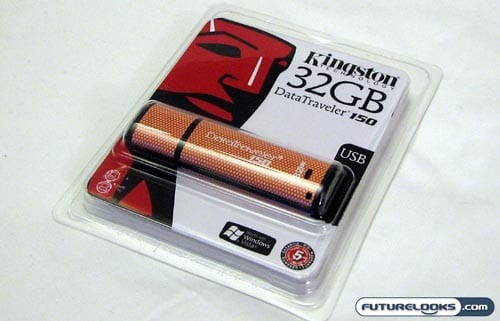
I still remember when having a flash drive with only 256 megabytes was pretty darn impressive, but man alive, has the industry advanced since those days. Continuing with the trend of massive memory in a remarkably small package is the Kingston DataTraveler 150 USB flash drive, shown here in its 32GB incarnation. For people who really want to push the envelope, Kingston also sells this drive with a whopping 64GB of flash memory. Considering that some older laptops only have 80GB hard drives, I’d say that’s pretty impressive.
The DataTraveler 150 from Kingston Technology is not the first drive to boast this kind of capacity, but as the price for flash memory continues to drop, these massive drives fall closer to the realm of possibility for the average consumer. How does this thumb drive stack up? Let’s find out.
Features and Specifications
When you get your hands on USB flash drives with this kind of capacity, the expectation is that you may have to make some sacrifices to achieve that much storage. Possibly in an effort to keep the DataTraveler 150 within the realm of reasonable affordability, Kingston skimped out a little on the features here.
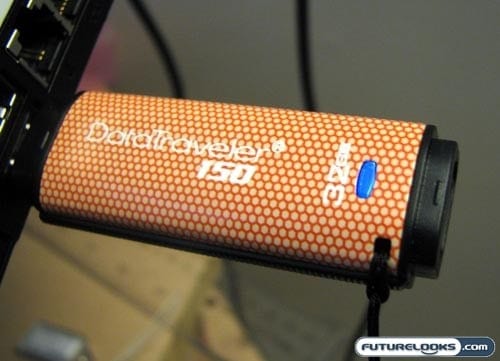
While the drive has no trouble working under a Linux, Mac OS X, Windows XP, or Windows Vista environment, there is no official support for Windows ReadyBoost. I’m thinking that some people would love having an extra 32GB or 64GB of extended RAM on their computers, but they won’t be able to do it with the Kingston Data Traveler 150.
You also won’t get anything in terms of bundled software or AES encryption. Aside from breaking storage barriers, this is a pretty bare bones kind of drive. It stores a bunch of stuff and that’s about it. The DataTraveler 150 will still be great for traveling techies, so long as they don’t expect to get anything special out of it.
According to Kingston, you’ll be able to read at up to 20MB/sec and write at up to 10MB/sec. These are far from industry-leading, but they’re on par with other budget drives.
What’s Included with the Drive?
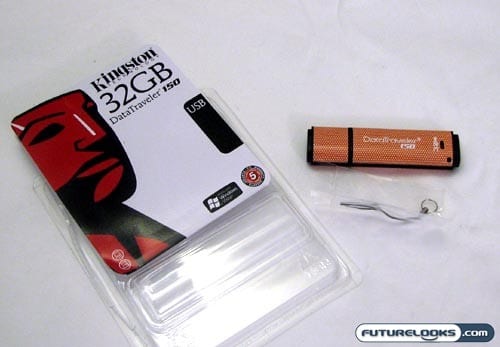
Continuing with the relatively bare bones approach, the Kingston DataTraveler 150 really comes with nothing in the package aside from the drive itself. You get a tiny loop for attaching to a keychain or a lanyard, but there is no actual lanyard in the package.
At the same time, do you really need anything bundled in with the drive aside from the USB drive itself? It’s not like you need a protective case or anything, though little extras (like USB extension cables) are oftentimes appreciated.