
Playing It Back
For the most part, I found that my favourite modes were either the SD mode or the lowest quality HD mode. The former is easiest to upload to YouTube (after editing and converting with the included software) and the latter for its high quality without the calories. Plugging it into an HDTV with an HDMI cable (not included), I was treated to near reality in the HD mode.
For owners of Samsung TV’s with the ANYNET+ feature, you can actually control the camcorder playback using your TV’s remote control. Speaking of remote control, I found the included remote not only handy for playback, but it was also useful for recording videos, especially ones of yourself, allowing you to zoom the camera around from a distance.
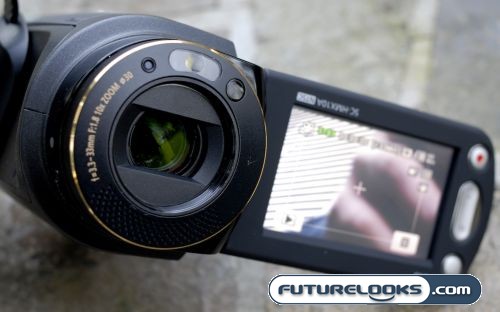
Although the picture was great, what wasn’t great was the audio quality. I noticed that no matter if the wind filter was on or off, the microphone would pick up a lot of background noise, making the subject extremely hard to hear. It’s no wonder Samsung added a microphone input, because the one inside the unit sucks. I would have loved to have seen a headphone jack as well so that you can monitor what you’re recording and playback in privacy.
I Heard It Takes Pictures Too
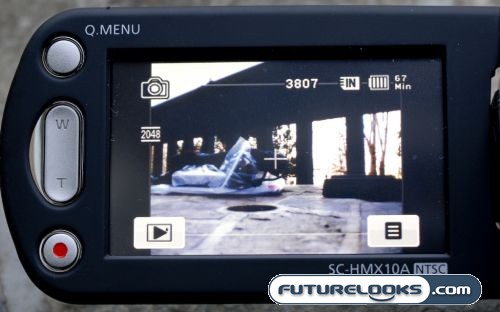
Uh…yeah, about that… It’s true the SC-HMX10A does take pictures. The resolution of these pictures is an interpolated 2048 x 1536, which puts it below the megapixel count of most cameraphones these days. However, as we know, MegaPixels isn’t the whole story. The picture quality isn’t bad, but without a flash, it’s severely limited in the conditions that you can use it in. But that’s not what kills me about the photo function.
The SC-HMX10A requires you to toggle to the photo mode before you can actually take a picture. This actually takes a while. Long enough that whatever you wanted to take pictures of has already left the building. The unit does have a seperate “Photo” button right underneath the main zoom toggle, so I ask, why not just take a picture when I push the button? It’s so logical! At this point though, I’d pretty much call the camera a useless feature. Besides, using the Cyberlink software, you can get some pretty good screen captures from the HD video, albeit at a lower resolution.
Battery Life
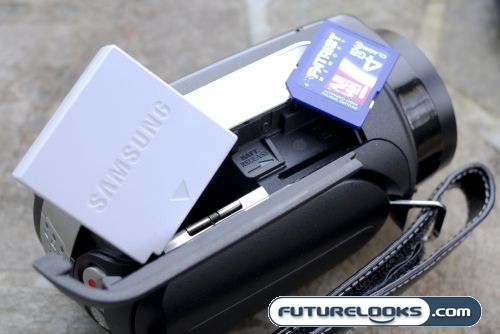
The specifications state that the included 7.4 volt, 850 mAh Lithium Ion battery gives you about 90 minutes of run time. Based on my mixed use, I found that this was a very accurate estimate. I’d normally recommend turning off the LCD, but if you did that, you wouldn’t be able to view what you were filming since there is no viewfinder, so I suggest leaving it on. There’s no point saving battery life if you can’t see what you’re doing.
Real-Time Price and Stock Check – Shop Like a PRO!