
System Setup
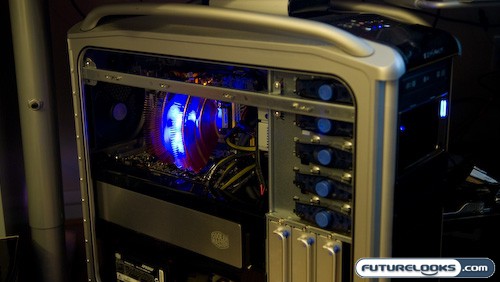
In order to see the effect of our new high performance GPU cooling solution, we installed them into a system with the following specifications:
- AMD AM2 X2 4200+ CPU (Provided by Geeks.com)
- Thermaltake V1 CPU Cooler – (As Reviewed)
- DFI Lanparty NF590 SLI-M2R/G Motherboard (Provided by DFI)
- EVGA nVidia 8800 ULTRA Video Cards in SLI
- Seagate 250 GB SATAII 16MB 7200 RPM Hard Drive (Provided by Geeks.com)
- Western Digital 36 GB 10K SATA Hard Drive
- Creative Labs X-Fi Xtreme Music Sound Card
- LG DVD Writer – (Provided by Geeks.com)
- Cooler Master Real Power Pro 1250 Watt Power Supply – (Provided by Cooler Master)
All these parts were assembled into a CoolerMaster Cosmos 1000 Chassis. Our operating system of choice was Windows Vista Premium and we used nVidia’s own NVMonitor to check out the temperatures before and after the installation of the cooling system. A sound level meter was used to measure sound levels before and after the surgery. Our torture test of choice was 3DMark06 running the demo nonstop until we passed out from heat stroke. Let’s check out the results.
Power Consumption
One of the things that I was curious about was how much extra juice these puppies would suck up. Since I’m running a 1250W power supply, I should be good, but what about those that aren’t? I wanted to find out what kind of power supply would be the bare minimum to power a system like this so I hooked up my Watt Meter to the system and took some readings. I grabbed numbers with and without the NV Reference coolers both at idle and at load.
Here are my findings:

With most power supplies being about 80% efficient these days, we’re looking at a power supply with a minimum power rating of at least 850 Watts just to be safe. If you’re running anything less than an 850 Watt power supply with similar components, you’ll need an upgrade.
Noise Levels
CoolIT claims that one of the features of this system is a reduction in noise levels. Since the cooling plates have no fans attached, I would say that for the most part, that is a no brainer. Let’s see how things pan out in practice.
We took a noise level meter and pointed it at the front of the case about a foot away. We took noise level readings at both load and idle, both before and after the installation of the system. Here’s what we found out:

As you can see, the noise levels actually increased under load. This is due in part to the fact that the fan built into the drive bay makes quite the racket, doing these seemingly random runs at high speed. Though technically the video cards no longer make any noise, the Dual Drive Bay more than makes up for that and produce the majority of the overall increase in noise level.
Thermal Performance
If this system didn’t do anything but make noise and cause a brown out, we’d have a problem. Here’s what we found out about the system both before and after the surgery…

So does the CoolIT System’s NV Reference GPU Cooling system put down the numbers to make it a performance winner? Clearly so! With double digit temperature drops of up to 35C at idle and up to 27C at full load, if you game with headphones on and don’t care if your system is GreenIT or not, then this is the GPU cooling system for you. Basically, you’ve brought a Hot Rod over a hybrid.
Let’s take this review home with a conclusion!