
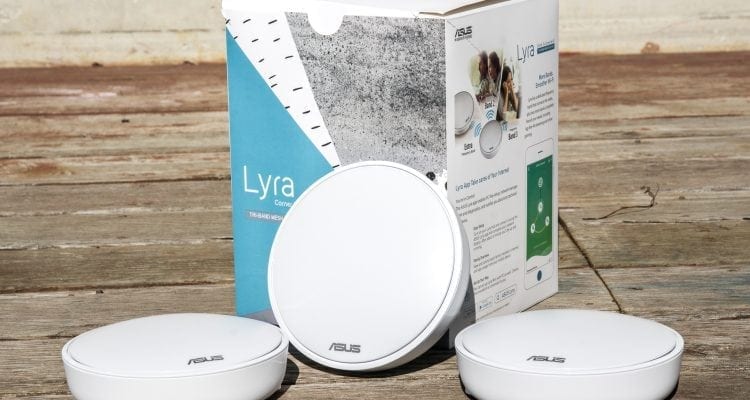
- Excellent coverage in noisy environments
- Attractive design
- Very easy setup process
- Issues with parental controls
- More expensive than a regular router
- Only two Ethernet ports per unit
Nitty Gritty Details
As I’ve mentioned above, setup is essentially all done once you have gotten the Lyra units up and talking to each other. The brains under the hood of each unit will do most of the hard work for you, such as picking which channels are least busy to which unit your wireless devices should be connecting through.
As with other mesh networking kit, ASUS has made things simple and easy to use. One feature I’d like to touch on with these units are the Parental Controls. With so many families and their household members being connected in some form or another with their wireless devices, one thing that can be hard is to ensure your family members are cyber-safe!
Parental Controls
Some people might not find Parental Controls needed in their situation or home setup, but I like to mention them because more and more families have everyone in the household with a device that is somehow connected to the Internet. In the case of the ASUS Lyra, they offer the ability to create family member profiles and assign devices to them.
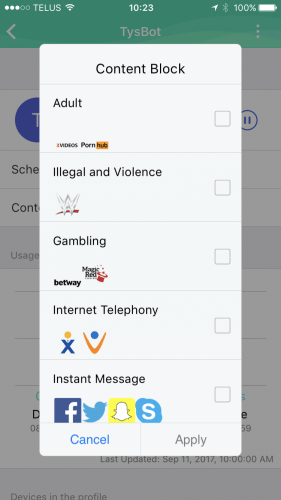
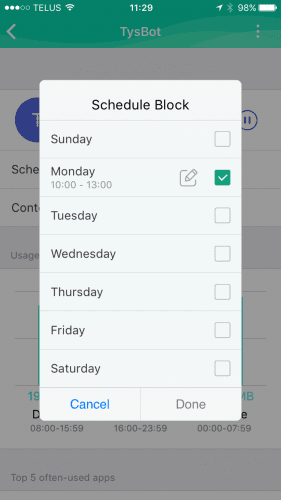
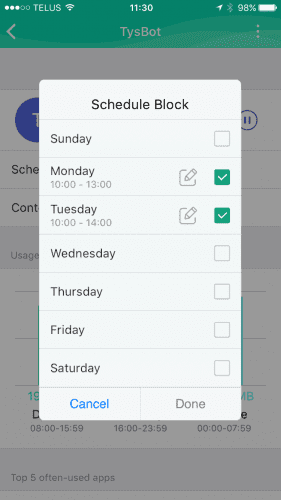
You can then either set Internet usage via a schedule such as Monday to Friday, lock the Internet out between bedtime hours, or you can block Internet access by specific applications or service, such as Facebook, YouTube, or more adult based websites.
Though unlike other mesh solutions I’ve looked at, there have been some issues with the current firmware with the ASUS Lyra. I’ve been working with their tech support team to pin-point the exact configuration, but for now all you can do is block ALL Internet access at ALL times or allow ALL Internet access. They might want to take a page from TP-Link and allow one to block based on URLs that devices are accessing.
Perhaps we will see a fix for this in the next firmware release for the Lyra. My dealings with ASUS’ technical support team have been great so far; they are trying to track down what is going on and why I am experiencing issues. I receive periodic updates from their customer support team saying they are working with their engineering team to find out what is causing the issue I am seeing with the Parental Controls. I like that they are actively looking into the issue in hopes to find a solution. Thumbs-up for ASUS in my books for that.
Network Security with TrendMicro
When it comes to your network security, you want to have it all in one place and usually at the very front of your network (i.e., where it comes into your home). In most cases, it will be your Internet modem. The ASUS Lyra comes protected with ASUS AiProtection powered by TrendMirco. The AiProtection brings you an Intrusion Prevention System (IPS) and blocks all common Internet-based attacks such as ransomware, Trojans and more. AiProtection protects you and your network from malicious websites and the ASUS Lyra will check the Trend Micro’s official database. Essentially any threats to your network and connected devices are stopped at the door!
The ASUS Lyra transparently protects you and your network. The Lyra with AiProtection does it all for you without you needing to worry. I’m not going to purposely try and trigger the system into protecting my attached devices, so I’m just going to have to go on their word. I know on other mesh network systems can browse what the Trend Micro’s security engine is doing, but I guess with ASUS and their AiProtection, they just want to take out the worry of having to check periodically.
Network Performance Tests
How does the ASUS Lyra Home WiFi System perform when all 3 units are deployed? With my test setup, it might be a bit different than the average household. I’ve placed the 3 included ASUS Lyra units on the same floor of a office setting. The office space consists of a lot of full-height cubicles which many have some sort of WiFi interference going on.
At the time of this writing, there are currently 33 deployed WiFi access points, which results in a lot of extra interference, which can potentially decrease WiFi performance. I’ve made use of my Apple iPhone 7 for these general speed tests which is 802.11ac capable, but of course it is not MU-MIMO, so I do not expect to see the full 867 Mbps theoretical speeds. Plenty enough power for every day use though.
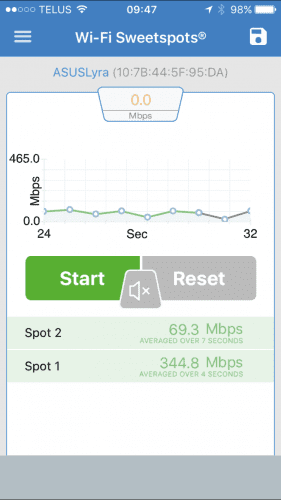
When testing the throughput, I found that I (of course) would get greater speeds closer to each of the ASUS Lyra unit. I would easily average 344 Mbps as seen in the above image near each unit. As I walked between the units, speeds would fluctuate (slowly drop down) as various elements would come in to place (such as building corners, cubical walls, etc). When my iPhone would transition between one ASUS Lyra unit and the next the connection would never drop and would speed back up to the 344 Mbps average.
Also remember that with these units, they will decide what the best frequency to run at for your devices. If you have a 5 GHz capable device, it will most likely use the 5 GHz frequency unless you are a bit further away and the 2.4 GHz frequency is better. After all, you will always want the fastest speeds possible for your equipment!