
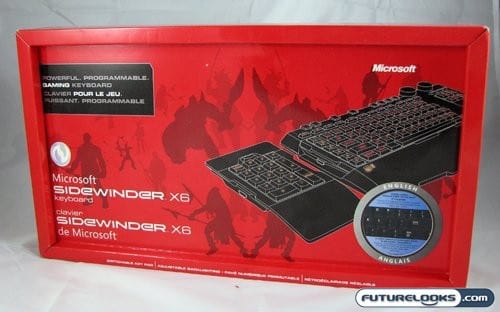
Now that Microsoft has two gaming mice in their newly resurrected SideWinder line, they can rest easy right? Wrong! Any gamer knows that the mouse is only half of the equation, and a good keyboard can make or break the pairing. Enter the SideWinder X6 keyboard, which is meant to both compliment and be a companion to the SideWinder gaming rodents. The new keyboard features the same colour scheme, in the form of a black body with red backlighting. It also sports a few extra features that many gamers and enthusiasts look for in such a keyboard.
Special Features of the Sidewinder X6
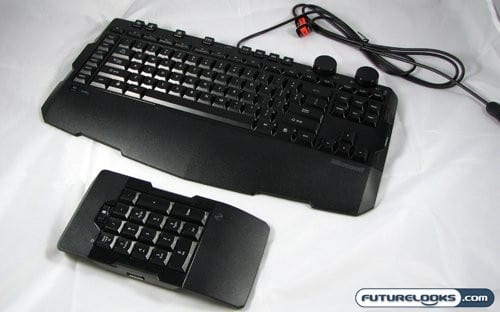
The first and most apparent feature of the X6 keyboard is the removable number pad. Microsoft has designed the X6 keyboard so you can position the number pad on either side of the keyboard. This allows for ultimate customizability, and also plays well into the other major feature of the X6, which is it’s extensive programmability.
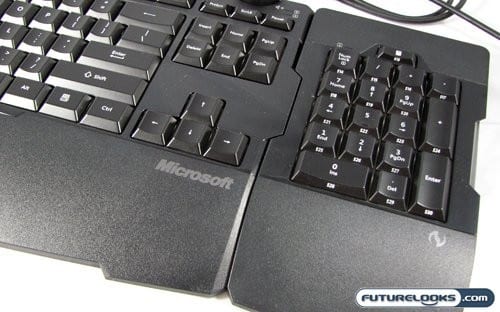
The keyboard clusters 30 programmable buttons into six buttons along the side. With the numpad next to it makes for a huge repository of buttons that should satisfy even the most ravenous macro user. We’ll get into what exactly is present on the keyboard later, and you can check out the product home page if you want more information.
As for pricing, the SideWinder X6 can found for $69.99 USD at most retailers. This puts it in the same price range as most other programmable gaming keyboards like the Razer Lycosa, the Saitek Cyborg, and the Logitech G11. That means that like it’s mousey cousins, the SideWinder X6 keyboard faces some stiff competition. We’ll have to see how well it fairs, but first let’s take a close look at what make this keyboard special.
No Frills. No Extras.
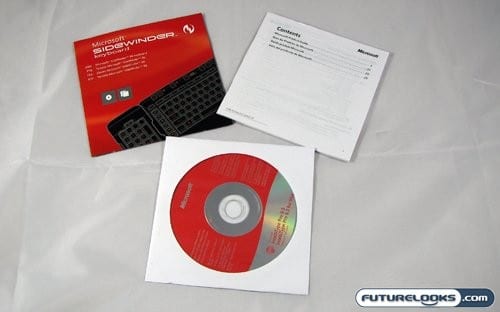
The package included with the Microsoft SideWinder X6 keyboard looks fairly small, but it contains what you would expect with a keyboard. There is a quick setup guide, full users manual (yes, for a keyboard), and a software disk containing the configuration program. Now let’s get down to the interesting stuff.