About APEX
As Futurelooks’ first review of an APEX case, we didn’t really know what to expect. They were founded in 1998 and have been manufacturing and engineering PC enclosures and switching power supplies. They are one of the premier OEM/ODM providers for large system integrators and offer a full line of PC enclosures in various form factors and sizes. With over 250 production-ready bezels, they are sure to have something that you’ll like. Let’s check out the specs of the PC-346.
Specifications
The PC-346 ATX Mid-Tower PC Case sports the following specifications:
- Dimension: 19”D (incl. front bezel) x 7.5”W x 16.25”H
- Drive Bays:
- External Drive Bay – 5.25” x 4
- Internal Drive Bay – 3.5” x 2
- Internal Hidden Drive Bay – 3.5” x 4
- Motherboard form factor: Micro ATX / ATX
- 7 expansion slots
- Allied Ver. 2.2 ATX12V 300W 20+4 pin power supply, Model: SL-8320BTX
- 1 – 80mm rear fan (90mm optional)
- 1 – 80mm front fan optional
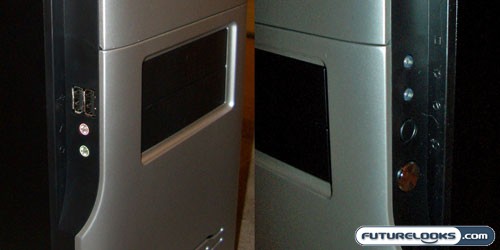
- Side mounted 2 x USB2.0 ports, 1 x speaker, 1 x microphone
- Optional CPU air guide to improve CPU cooling
Overall, it’s a pretty plain jane spread of features. What was kind of disappointing was the lack of 120mm fans. The case uses dual 80mm fans (with a 90mm optional rear fan) and could cause some noisiness, but we’ll be the judge of that.
First Impressions
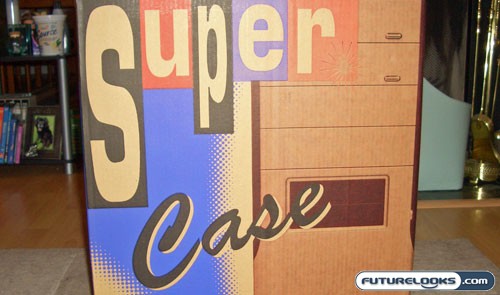
When I received the case, the box had the name “Super Case” written all over it. After a little bit of digging, it seems like APEX doesn’t actually manufacture their case lineup, but instead, imports them from SuperCase International Corporation and sells them under the APEX brand. As it turns out, the PC-346 case can be found on Newegg for $39.99USD. It’s safe to say that this is a low cost budget economical case. What I was disappointed with was that they left the big Super Case logo on the box and didn’t even bother to rebrand anything. Truly cheap ass if you ask me.
On the outside
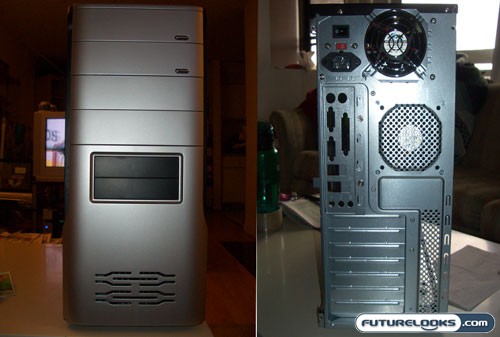
The front bezel contained four 5-1/4” and two 3-1/2” drive bays. One thing that puzzled me is that only the top two 5-1/4” bays opened up to accept a cd/dvd drive. If I had more than 2 drives, I would have to pull out the front bezel and the smooth continuous look would be gone. Lucky for us, we only have one drive and you’re a freak if you have more than two.