
Even MORE Fans!
At the front of the case behind the removable hard drive bay is a spot for another 120mm fan, which is not included and looks like it can be a bit of a pain to get into place anyway.
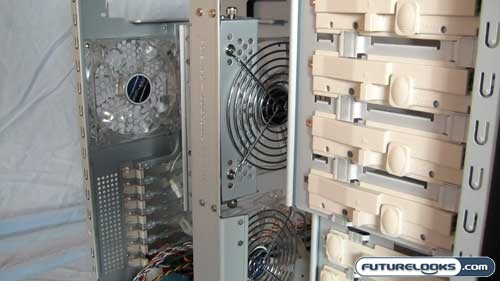
When you move up to the drive bays they are also of the tool-less variety. They slide and lock into place once you have properly positioned your drive. For those nervous about these tool-less locks you can still secure your devices with screws if you wish.
Installation and Setup
Now it is time for the fun part: Installation of the computer guts. The one thing I noticed right way was that I would need to remove the Core-Fan bracket in order to get my motherboard into position. There was one catch though; in order to remove the Core-Fan bracket it would require me to get out the screw driver to remove the two bottom screws that hold the bracket to the rest of the case. So much for tool-free!
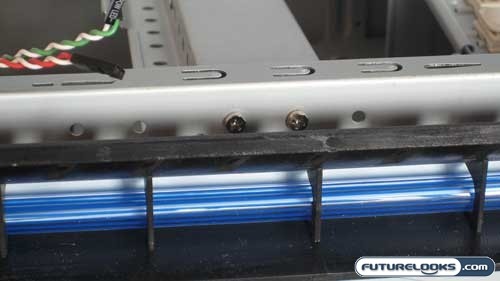
Do you see something that might make it a bit difficult to remove? The cold-cathode light is in the way when you go to remove the screws. In order to remove the cold-cathode light from the case you need to remove two other screws the hold the feet and then slide the foot forward and out. These are placed inside the case.
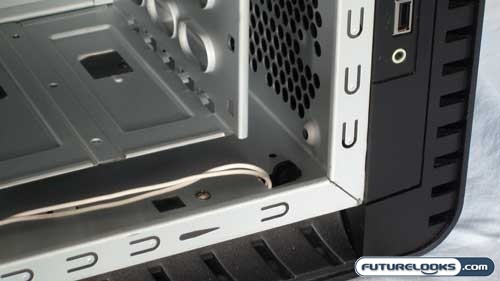
Be careful not to snag the light’s wire as the edge of the hole will strip of the outer cable and that could cause a short in the light’s wiring. This is a bad thing so we recommend you not do that.
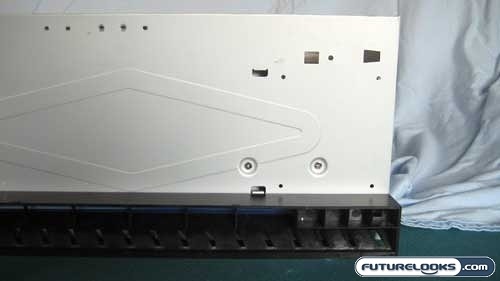
You can also remove the hard drive bay by removing the four screws that hold it to the case. There are two screws located on the underside of the case and two more screws located on the motherboard tray. Once these four screws are removed the hard drive bay can slide out towards you easily. I would see the only need to do this when you are installing a 120mm air intake fan.
In order for me to remove the back foot of the case, the hard drive bay did need to be removed and required the use of a Stubby screw driver. This was needed to get at the screw the held the front of the foot to the bottom of the case. If you do not have a Stubby screwdriver you may find it difficult to remove this particular screw.
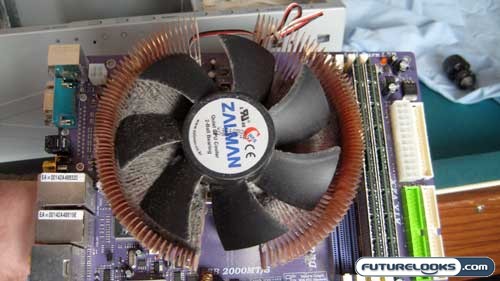
Prior to installation of the motherboard you should ensure it is clean and dust free unlike the photo above. This is just good housekeeping, but it’s your case. You do what you want.
Real-Time Price and Stock check – Check More Products