

Setting Things Up
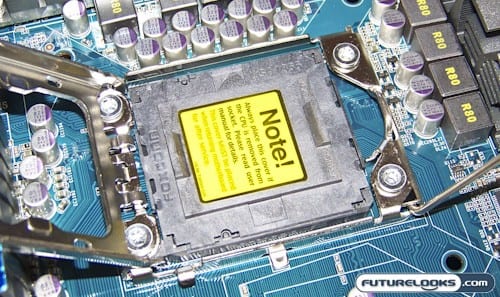
A couple things have changed in respect to the X58 motherboards that you want to watch out for. The CPU socket no longer has a cover on the outside, but inside which does a better job of protecting the socket pins from bending. You’ll have to unlatch the CPU socket to remove the plastic cover. You definitely don’t want to get too sloppy when removing it or else you can bend the pins.
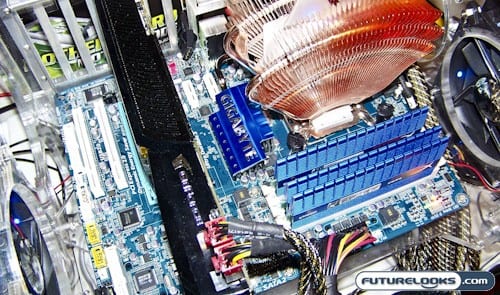
About the only hardware distinction that needs to be mentioned here is that the motherboard supports the newest JEDEC DDR3 memory standard which is 1.3 to 1.65 Volts. Even if your older DDR3 memory fits, you can NOT use memory that requires 1.7 Volts or higher. If you do, you risk damaging your new I7 system.
Otherwise, this platform was in deed a pleasure to install and set up. Installation of the drivers and Windows patches went without issue. There are those who don’t like working with Vista who ask why not XP Pro. To fully test the platform and all its features, Vista is one of the prerequisites. DirectX10 is just one of the features that must be tested on top of the basics. Besides, this is a power house system that laughs at any OS resource loads placed upon it.
Test System
We installed our test system using the following hand selected components thanks to all the vendors named in the list. And, yes, we have to thank Microsoft for Vista Ultimate. All tests were performed using the latest drivers and BIOS available.
- Processor: Intel I7 965 Nehalem
- Motherboard: Gigabyte EX58-UD3R
- Memory: 3GB HyperX 2000 MHz Triple Channel
- Graphics: ZOTAC GTX 285 AMP!
- Internal Storage: 500GB Seagate SATA II 16MB
- External Storage: 500 GB Seagate SATA II 16MB
- Power Supply: Kingwin 1000 Watt
- Operating System: Vista Ultimate 32-bit
- Test Software: SANDRA, Crysis, Far Cry 2, World at War, & 3DMark Vantage
In order to benefit from any kind of power saving features offered by the board, the application that utilizes VRD 11.1 should be installed. There you can configure your system’s profile. Something to consider is that when you run the system in Crossfire mode, you won’t save much power if any which is typical on any dual graphics platform.
3DMark Vantage
To kick off our benchmarks, we start with a little synthetic performance. 3DMark Vantage is the latest FutureMark program that pushes graphic performance to the edge. It’s also a very good snapshot of overall performance and gives us an idea of how well our system stands up to similarly equipped systems out there.
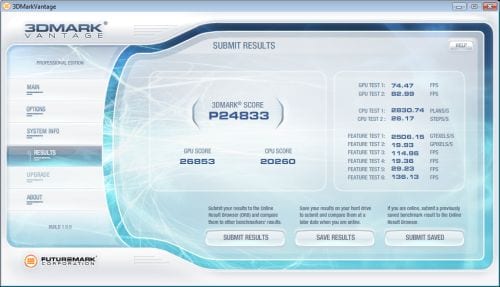
Using the default test and the above components, we managed a 3DMark Vantage score of 24,833 when driven with a ZOTAC GTX 295. This is of course a very respectable score. Graphics cards are fed with plenty of power even without the use of an auxilliary 4-pin power connector to the graphics ports. Frame rates remained high while the system maintained stability throughout the test suite. Moving right along…