
Gaming Performance
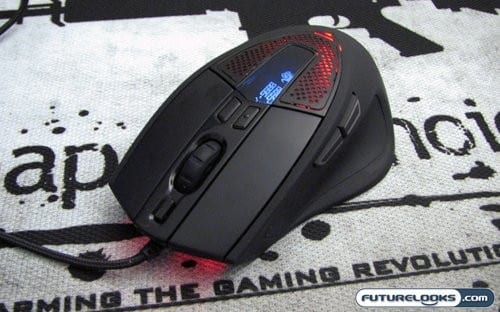
To test the CM STORM Sentinel Advance, I decided to step back in time and break out a game that is now 10 years old. Why the heck would I do that, you may ask? The reason being is that Quake 3 Arena, and it’s competitor Unreal Tournament, is still one of the most fast paced FPS titles that still works with modern Windows operating systems. I wanted to see how well the Sentinel Advance stood up in this environment, and play with it’s software to see if I could coax the best performance out of it. I think it goes without saying that the Sentinel Advance was up to the task
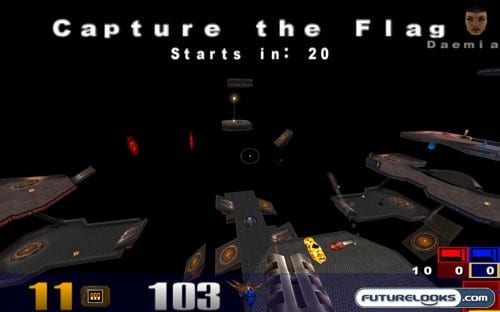
Jumping into an arena with default settings yielded good results, with the mouse matching my movements to the game movement with precision. The real fun started when I tweaked the DPI and sensitivity settings to a point where my movement was perfect. Did it get me a better score? Well…no, but the gameplay was smooth and accurate while I was getting my butt kicked.
Team Fortress 2 was another title where I was able to have a lot of fun tweaking the Sentinel Advance; this time making up profiles for each class.

TF2 is infinitely customizable on it’s own, allowing you to pick the class that best suits your play style, then picking how you want to play that class. For the Scout class my profile focused on accurate movement, since the class moves so fast. One mis-step and you run straight into a Heavy, getting turned into Swiss cheese. As for playing as the heavy, I wanted to make sure I could quickly heal, and quickly turn around to face my enemies. The slow moving lug really should be able to quickly cover all sides. I even assigned colours to each profile, so I didn’t get things mixed up while switching.
Final Thoughts and Conclusion
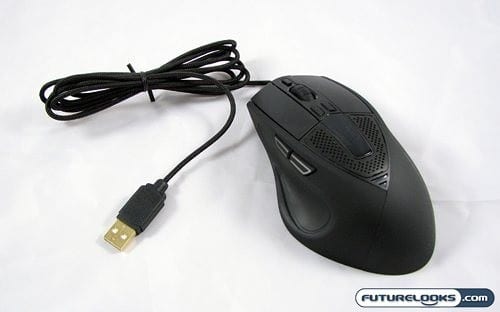
In the end, the CM STORM Sentinel Advance gaming mouse is quite an innovative and technically adept peripheral. The huge selection of features will allow you to tweak it to your exact specifications, and you can even add some personal flare with the programmable lighting and OLED logo. The ergonomic design is very comfortable, and the buttons are well laid out and easily accessible. The extra security feature is an added bonus that will ensure you see use from this mouse at many LAN parties.
The only downsides I can find with the Sentinel Advance are fairly superficial, and basically run as direct opposition to the benefits I just pointed out. All the options that are available in the software may seem overwhelming to the first time user, and there is a bit of a learning curve. The mouse is right hand only, though making it ambidextrous might cancel out some of it’s benefits. As for pricing your opinion on that can go one way or the other. The Sentinel Advance will be priced between $70 and $80 USD, which is typical for high end mice in this segment.
Overall I think Cooler Master has done what any company should do when entering a new market; they took their time and executed exactly as they should have. The result is one of the most polished mice I’ve seen from a company who is new to the gaming peripheral space. The look and feel of this mouse make it a perfect candidate to replace my admittedly failing Logitech MX1000. With a recommendation like that, it’s hard not to give the CM STORM Sentinel Advance gaming mouse our Editor’s Choice Award.
Pros
- Extremely customizable
- Comfortable and easy to use
- Accurate tracking for precise gaming
- Visual customizations add personal touch
Cons
- Software may be a little overwhelming at first
Overall Rating: 9.5 / 10.0

Love This Review? Hate This Review? Tell Us In The Forums!