
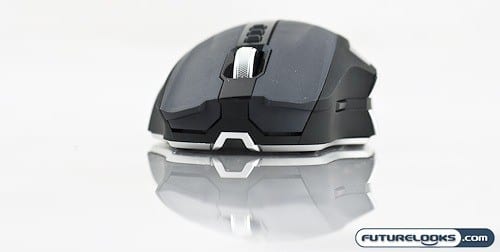
Try and try again must be Microsoft’s motto when it comes to gaming mouse design. First, they brought us the original Microsoft Sidewinder Gaming Mouse which had looks that killed, but ergonomics that killed your hand. Next, they came up with the Sidewinder X5 which took many of the criticisms turned them into improvements. Still not perfect, but at least it appears someone was listening. That’s why I’m optimistic, yet cautious about their latest product: The Microsoft Sidewinder X8 Wireless Gaming Mouse.
Features and Specifications
The Sidewinder X8 is an improvement in many ways over the previous iterations. However, one of the features that serious gamers may not like is the fact that this mouse is wireless. In order to sway serious gamers from their wired mice, Microsoft has incorporated two technologies that make this mouse both wireless and lag free.
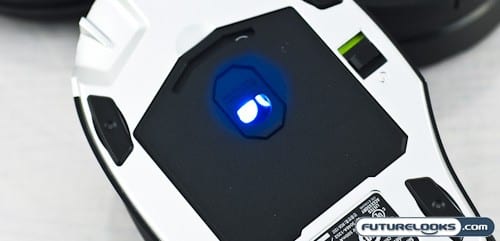
The first of of these technologies is the 500 Hz USB polling speed which brings the response to near wired speeds while the second would be the proprietary 2.4GHz signalling technology that gives you up to a 30 ft range.
Precision is further enhanced through the use of Microsoft’s Bluetrack laser technology, which processes up to 13,000 frames per second and provides a max speed of 120 inches per second with acceleration of up to 75 g’s of force. In other words, it’s not only fast but also very accurate and can continue to do so over different surfaces. Sensitivity is adjustable from 250 – 4000 DPI.
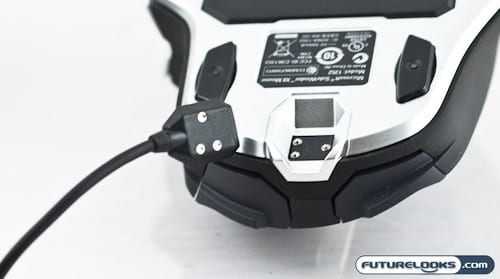
One of the most unique features of the Sidewinder X8 is the fact that the unit can be charged while in use via an umbilical cable that coils neatly onto a puck-like wireless receiver. The cable magnetically docks onto the front of the mouse, providing you with power and of course, uninterrupted gameplay. The Sidewinder X8 is rated for up to 30 hrs of gameplay on a full charge and I did like the inclusion of a physical on off switch which makes it easy to conserve power while transporting the mouse back and forth to LAN parties.
The Microsoft Sidewinder X8 Bluetrack Wireless Mouse is Microsoft’s most expensive so far at a retail price of $99.95 USD.
What’s In The Box?
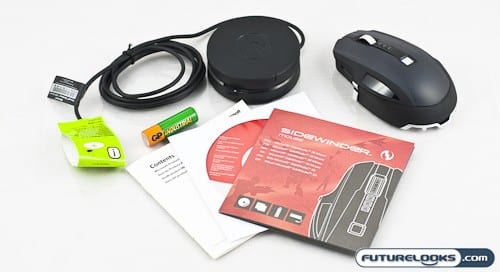
The Sidewinder X8 is accompanied by your usual assortment of manuals and the Microsoft Intellipoint Software CD, a rechargeable AA battery and the rather unique receiver/charging puck. The unit itself doubles as both USB charging station via an umbilical cord and wireless receiver.
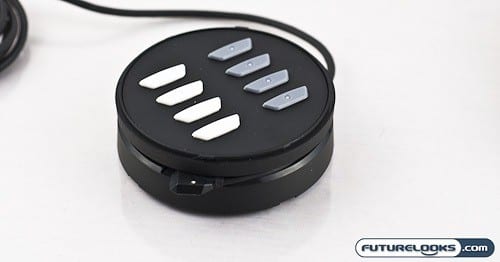
With the twist of the lid, the wireless receiver/charging puck reveals two additional sets of feet for the Sidewinder X8. The least slippery ones are installed (black) while the white ones are the most slippery. In all honesty, the difference in “slickness” probably won’t be noticeable to most people. The addition of a high end mousing surface would provide a much more noticeable change in the level of friction between mouse and surface. Worst comes to worst, you can use them as backup feet for when the original ones wear out.